

The Blixar platform
One data model for every decision a bus network makes.
Network design, timetables, vehicles, chargers, crews, rosters and the live operation usually live in five tools owned by five teams. Blixar connects them on one model and one optimisation engine, so every team argues from the same numbers.
Architecture
Your data in. Plans your teams can run out.
Open formats on both sides, and one engine in the middle that every product shares.
Your data
- GTFS schedules
- KMZ / KML alignments
- Stop ridership
- Operations workbooks
- Fleet & charger specs
- Duty rules & agreements
- Tracker telemetry
Blixar engine
Optimisation & AI
MILP · column generation · ALNS · matching · routing · assistant
Plans you run
- Revised routes & stop sequences
- Published GTFS feeds
- Vehicle blocks & charging plans
- Duties & rosters
- Printed duty sheets & crew boards
- Operator reports & board packs
Products
Start with one. Connect them when you are ready.
AI Network & Route Planning
Atlas
Enhance the route network, widen access to public transport and connect the first and last mile, with the riders, kilometres and buses every change costs and saves.
- Dated network model
- Access vs usage diagnostics
- Nine restructuring analyses
- Planning assistant
- Locked reporting months
Scheduling & Rostering
Schedura
The fewest buses, chargers and drivers that can run a timetable, with a lower bound beside every answer.
- Timetables & GTFS
- Vehicle blocking, 14 strategies
- Electric energy & charging
- Crew duties & rosters
- Daily operations & leave
Fleet Telematics
GPStracs
Live location, driver behaviour and vehicle health for every bus, from 50+ tracker brands.
- Live fleet map
- Driver behaviour scoring
- Geofences & depot events
- CAN-bus & energy telemetry
- 50+ tracker brands
One platform
From the network map to the driver’s duty sheet.
A route drawn in the morning can be blocked, charged, crewed and rostered by the afternoon, because every step reads the same data.
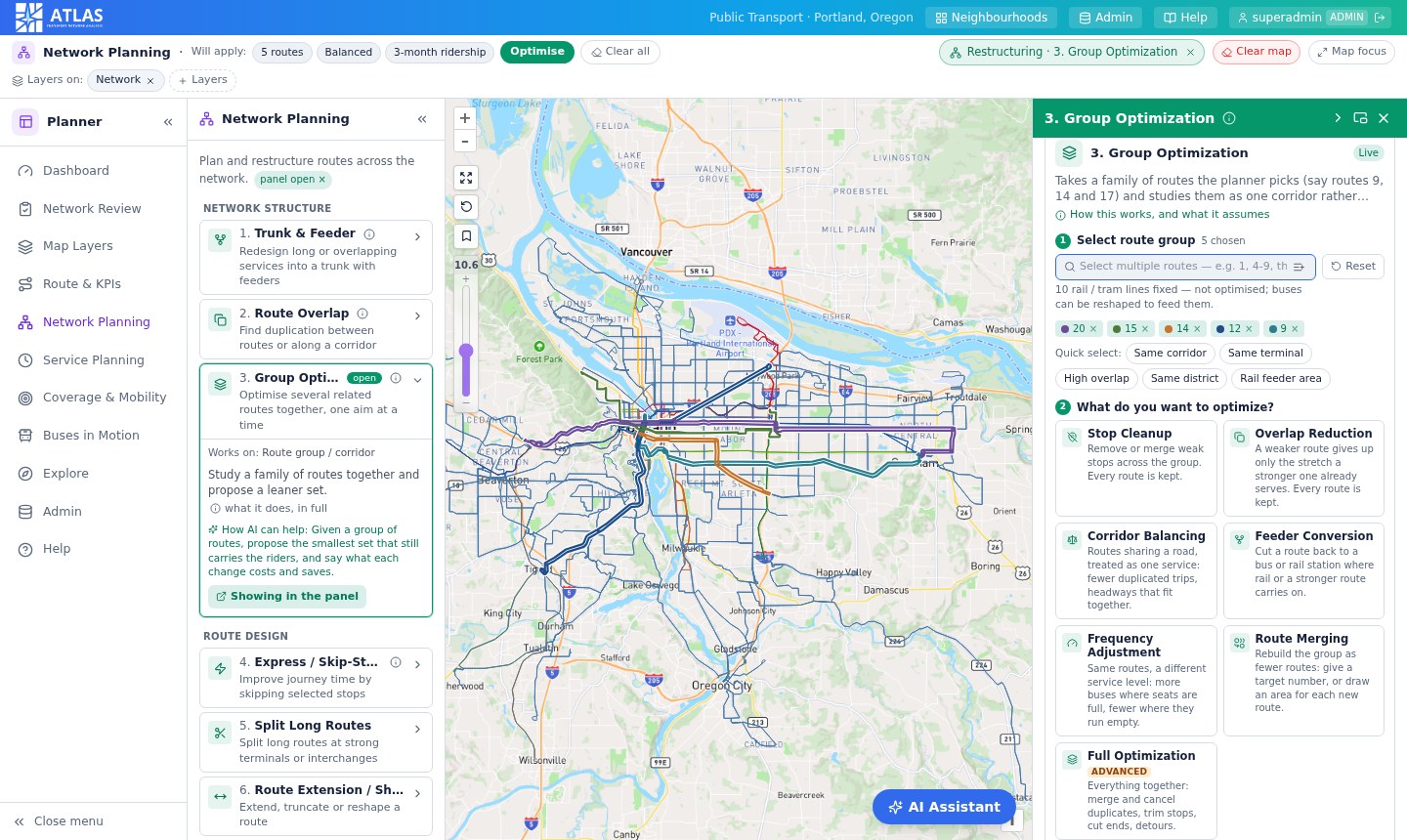
Atlas
Design the network
Study a corridor the way a planner does: what each route carries, where routes duplicate each other and which stops earn their place. Every proposal comes with the riders, kilometres and buses it costs and saves.
- Access vs usage by district
- Nine restructuring analyses
- Revised routes exported as KML and workbooks
Screens show the Atlas demo network.
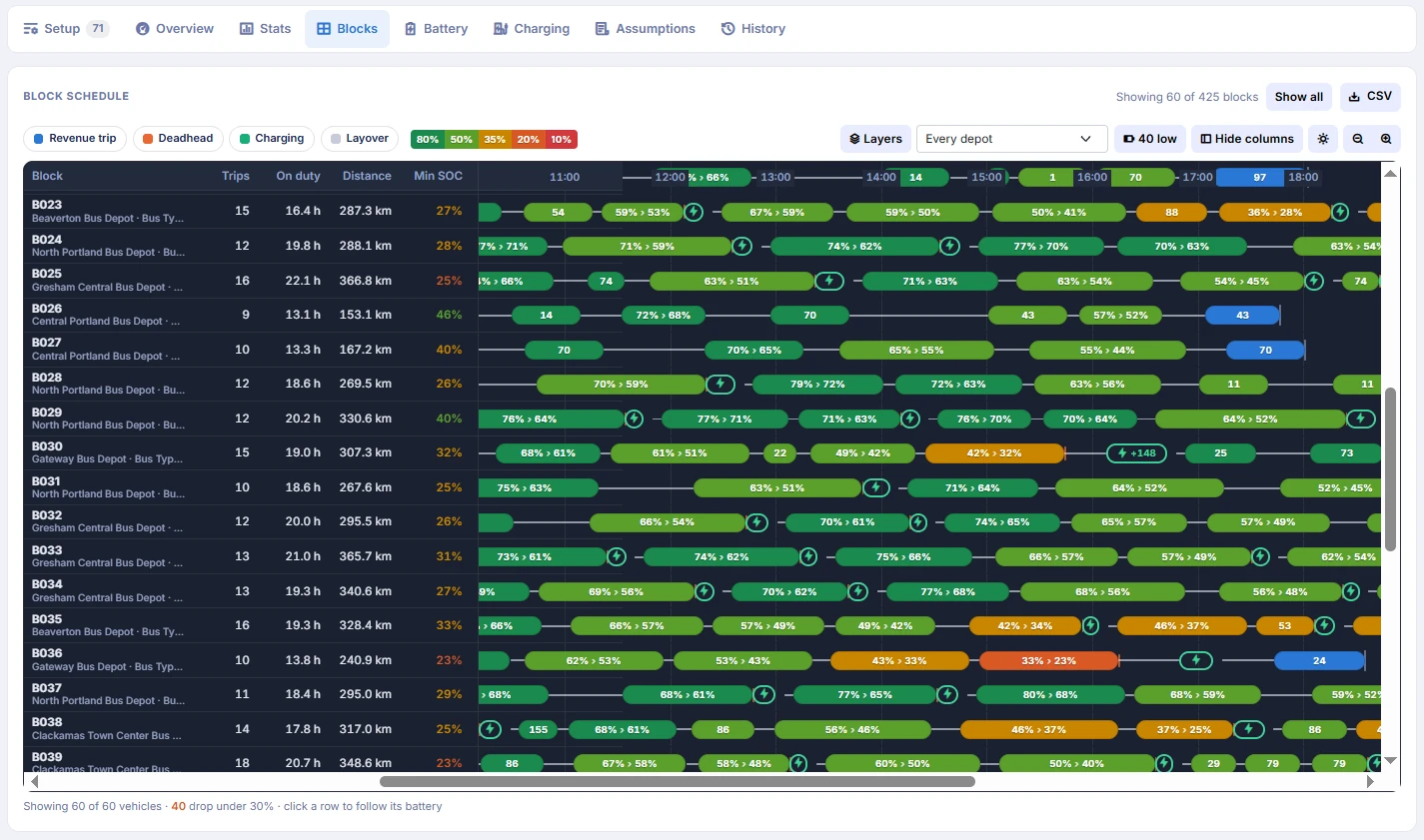
Schedura
Block the vehicles
Chain every trip in the timetable into bus days for the fewest vehicles. Fourteen solver strategies, depot and bus type as decisions, and the timetable’s lower bound printed beside every answer.
- Fleet against the proven minimum
- Depots, bus types and deadheads
- Scenarios cloned and compared
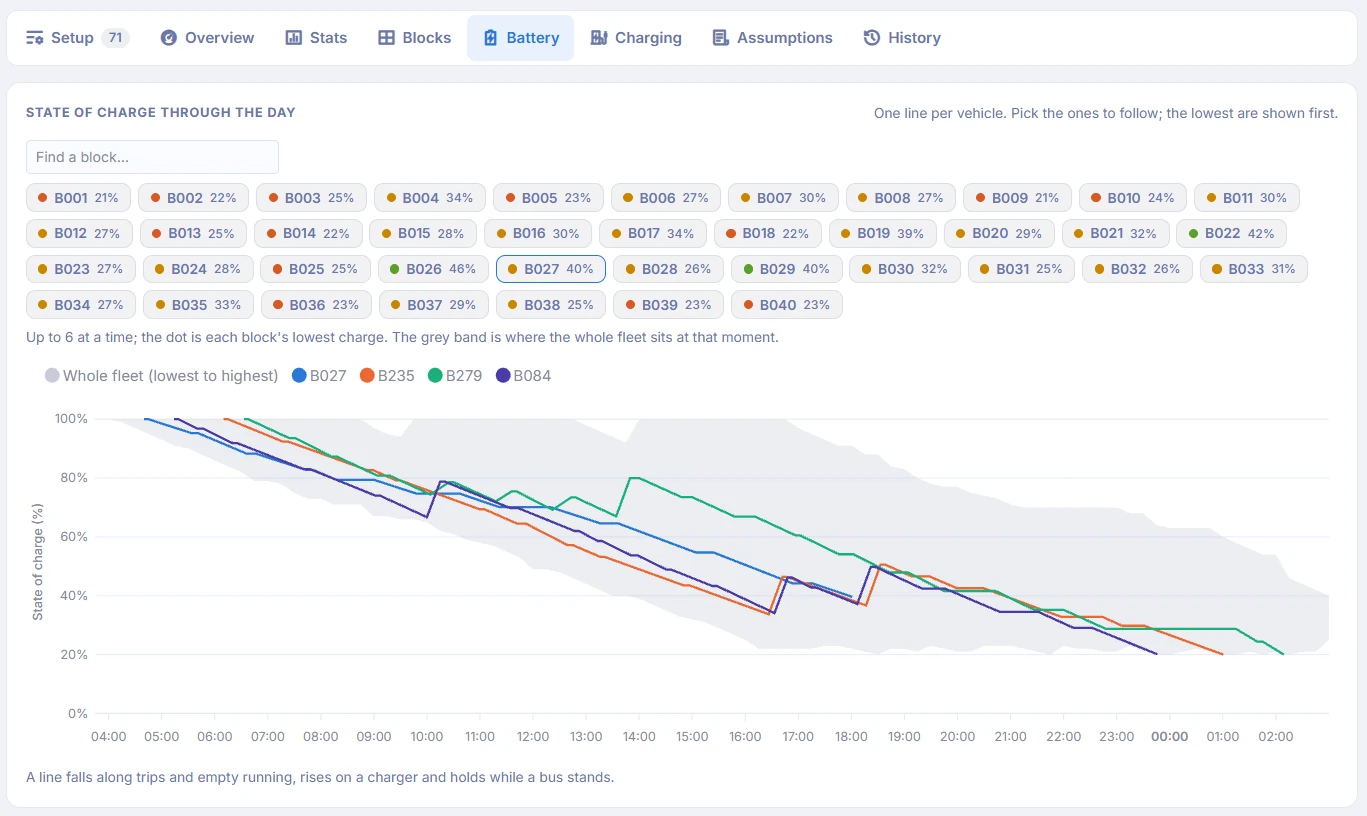
Schedura
Plan the energy
Model the state of charge of every bus through the day and schedule charging inside the block. Depot guns and terminal pantographs are counted separately, and consumption follows the season.
- Charging placed in layovers
- Charger queues and site capacity
- Seasonal consumption
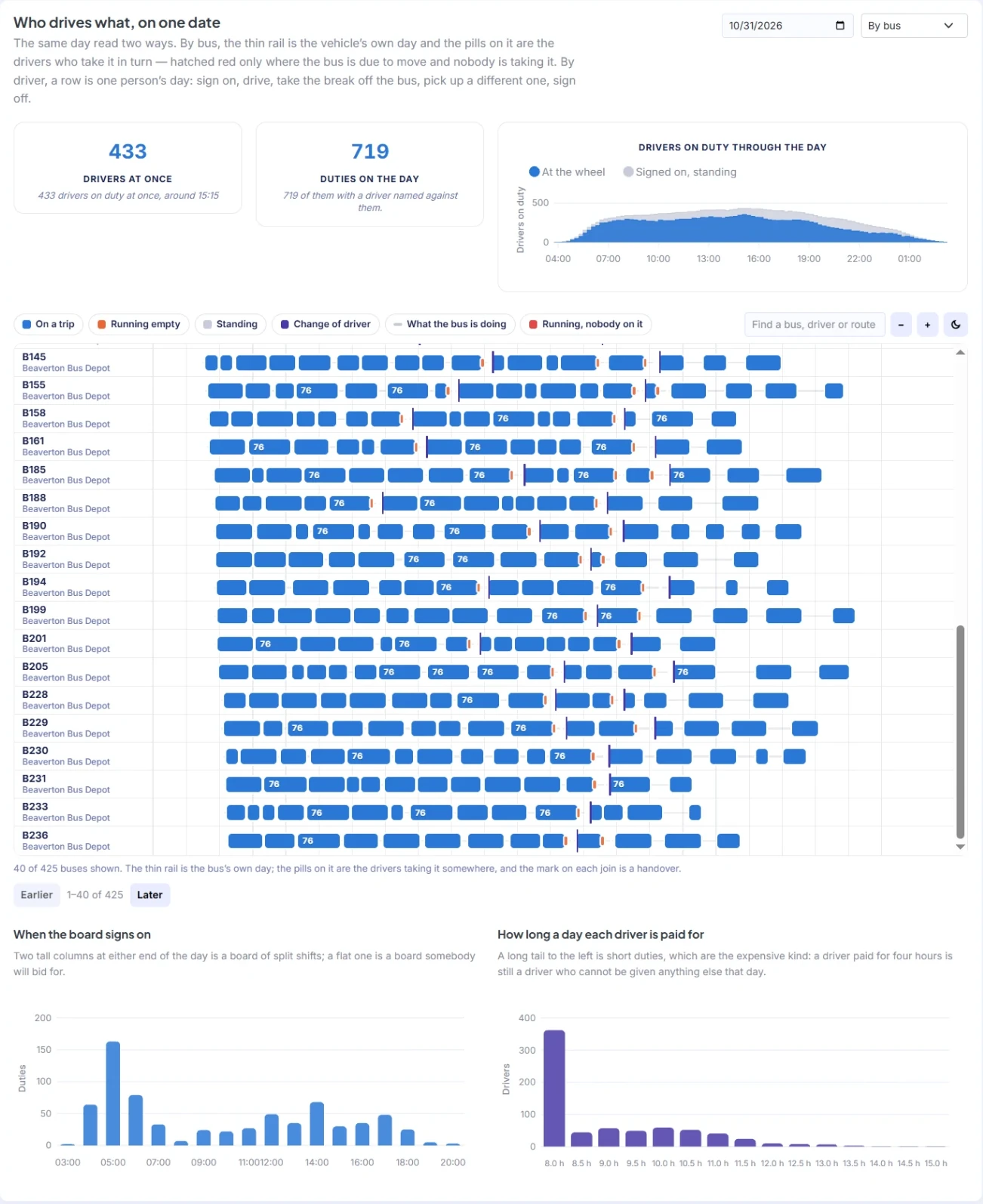
Schedura
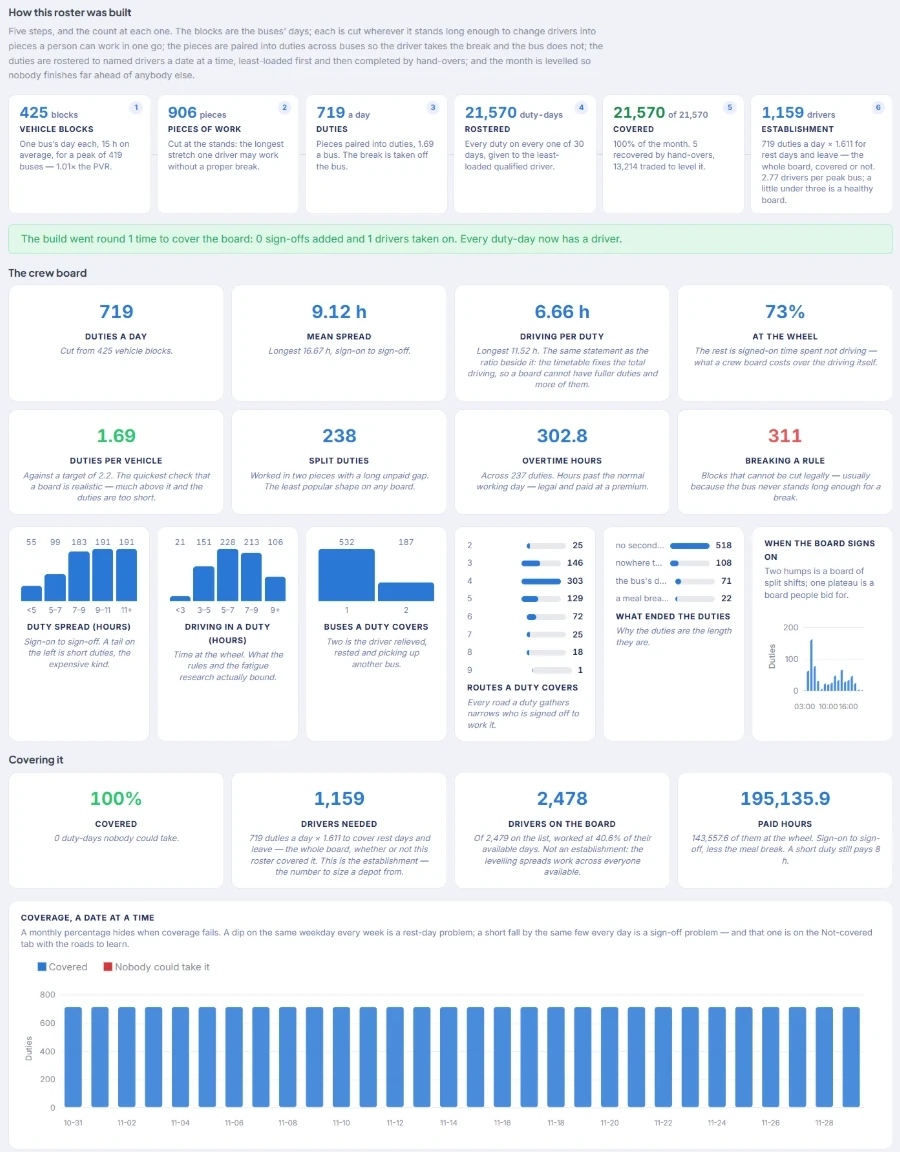
Cut the duties
Cut blocks into legal duties at relief points and pair pieces of work across buses, so the driver takes the break and the bus keeps running.
- Duty rule sets per agreement
- Matching, not greedy pairing
- Every duty ends where the driver can get home
Schedura
Roster the month
Put named drivers on every duty for a quarter at a time: one rest day a week, hours levelled per calendar month, leave, training and route knowledge respected.
- Fair hours, visibly
- Auto-cover hires and trains until covered
- Establishment sizing
Schedura + GPStracs
Run the day
Stand a driver down, see qualified cover ranked, reassign in two clicks and print the crew board. Live vehicle positions and what actually happened flow back into the next plan.
- Ranked cover for every absence
- Live fleet on the map
- Operations feed the next plan
Delivery & support
From your first GTFS feed to go-live.
Software alone does not change a network. Every deployment comes with a team that learns your depots, your agreements and your data before it changes anything.
- 01
Data audit
Week one. We load your GTFS, alignments and operations data and tell you what it can and cannot support.
- 02
Baseline
Your current plan rebuilt in Blixar and checked against its lower bound, so every later saving is measured honestly.
- 03
Scenarios
The questions your board is asking, costed: electric, depot changes, restructured corridors, routes per driver.
- 04
Rollout
Planners trained on their own network, integrations to AVL, ticketing and depot systems, and go-live depot by depot.
- 05
Run & improve
Managed hosting or your infrastructure, monitoring, updates and a named team that knows your network.
What would it cost to run your timetable electric?
Send us a GTFS feed or a timetable export. We will run the first scenario with you: buses, chargers and drivers, with the lower bound beside every answer.